
SAMPLER · EFFECTS · LIVE
Your sample pad,
right in the browser.
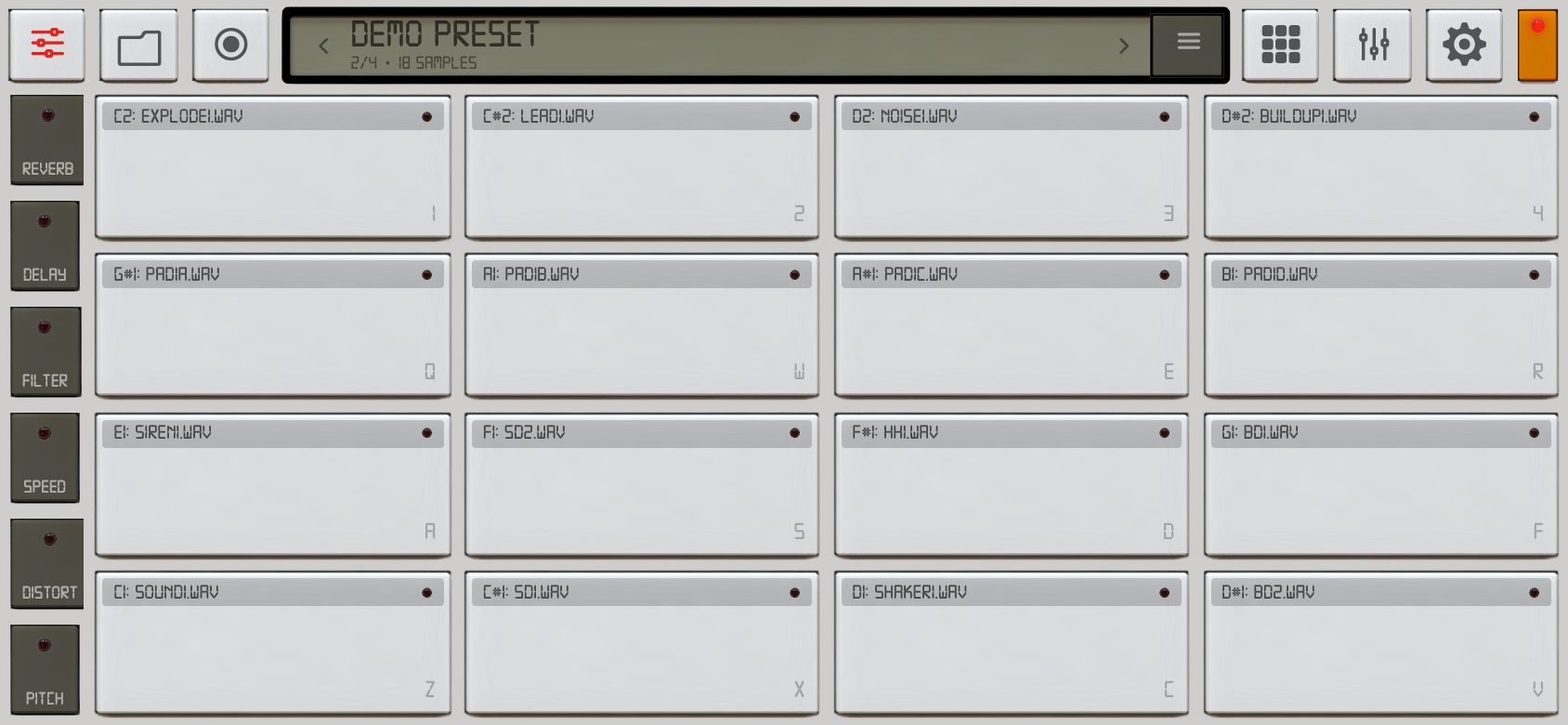
SamplePad turns a phone, tablet or laptop into a live instrument: up to 64 pads, master effects, presets and a scratch deck. No download, no account – tap and play.
Try it right here on the phone – tap TAP TO START, then hit the pads. Works best with sound on.
FEATURES
Everything from the iOS app – now everywhere
The same analog look and the same sound engine ideas as the original SamplePad for iPhone, rebuilt for the web.
Up to 64 pads
Grid from 1×1 to 8×8 with real multitouch. Loop, sustain, retrigger, choke groups, volume and colour per pad.
Live master effects
Reverb, tempo-synced delay, high-pass filter, varispeed, distortion and pitch ±24 semitones. Hold for instant effects.
Record from the mic
Sample anything straight onto a pad, trim it on the waveform and play it back instantly.
Session recording
Record your whole performance, listen back, save it or share it from the built-in file browser.
Presets and sound packs
Start with Demo, Bonobo, Piano and Scratch packs. Swipe across the pads to switch presets mid-set.
Keyboard, MIDI, drag & drop
On a computer play from the keyboard or a MIDI controller (Chrome) and drop audio files straight onto the pads.
Export and import
Move a preset with all its samples to another device as a single file. Your edits stay on your device.
Works offline
Add it to the home screen and it runs full screen like a native app – also without internet.
NEW
Scratch Deck
A turntable in the browser. Grab the record and scratch, cut with the crossfader, set cue points, filter and drop a boom-bap beat underneath.
- Low-latency audio engine (AudioWorklet)
- 33/45, pitch ±10%, loop, cue, reverse fader
- Built-in scratch samples or record your own from the mic
INSTALL
Make it an app in 10 seconds
Open SamplePad in Safari → Share → Add to Home Screen.
Open in Chrome → menu ⋮ → Install app (or Add to home screen).
Just open the link. In Chrome or Edge you can install it from the address bar.
No sound on iPhone? Tap the screen once to unlock audio and check the silent switch.